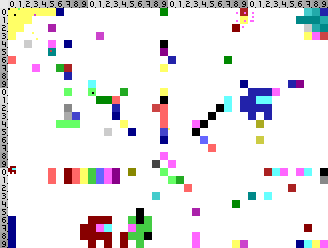
you can request a pixel change using any of the following methods; in any case you will need to provide us with the x and the y coordinate as well as the color value (see below):
please join us at our assembly
if you want to sent a lot of pixels or if you cannot reach us via our manual phone numbers you can also contact our certifiedly happy voice bot and inform it of the pixel (x between 0 and 160, y between 0 and 120) you want to change to which of the colors (use the "voice bot id" in the table below).
to enter your pixel use the following command #x#y#color*
call: 7492 (PIXB)
you can also send us a handwritten (!) chaos post card with your pixel (x between 0 and 40, y between 0 and 30) to the following recipient:
pixelebbe assembly
level 2, grid G6
because we care to prevent spam that annoys the chaos post, only handwritten post cards will be accepted; please be considerate and excellent with the chaos post infrastructure
please note that bribery and corruption is expressively not prohibited.
we support the following color values (written in the schema "color name – hex code (voice bot id)"):
K1
– #000000
(1)
|
K2
– #222222
(2)
|
K3
– #444444
(3)
|
K4
– #666666
(4)
|
W1
– #888888
(5)
|
W2
– #AAAAAA
(6)
|
W3
– #CCCCCC
(7)
|
W4
– #FFFFFF
(8)
|
R1
– #880000
(9)
|
R2
– #aa2222
(10)
|
R3
– #cc4444
(11)
|
R4
– #ff6666
(12)
|
G1
– #008800
(13)
|
G2
– #22aa22
(14)
|
G3
– #44cc44
(15)
|
G4
– #66ff66
(16)
|
B1
– #000088
(17)
|
B2
– #2222aa
(18)
|
B3
– #4444cc
(19)
|
B4
– #6666ff
(20)
|
C1
– #008888
(21)
|
C2
– #22aaaa
(22)
|
C3
– #44cccc
(23)
|
C4
– #66ffff
(24)
|
M1
– #880088
(25)
|
M2
– #aa22aa
(26)
|
M3
– #cc44cc
(27)
|
M4
– #ff66ff
(28)
|
Y1
– #888800
(29)
|
Y2
– #aaaa22
(30)
|
Y3
– #cccc44
(31)
|
Y4
– #ffff66
(32)
|
